


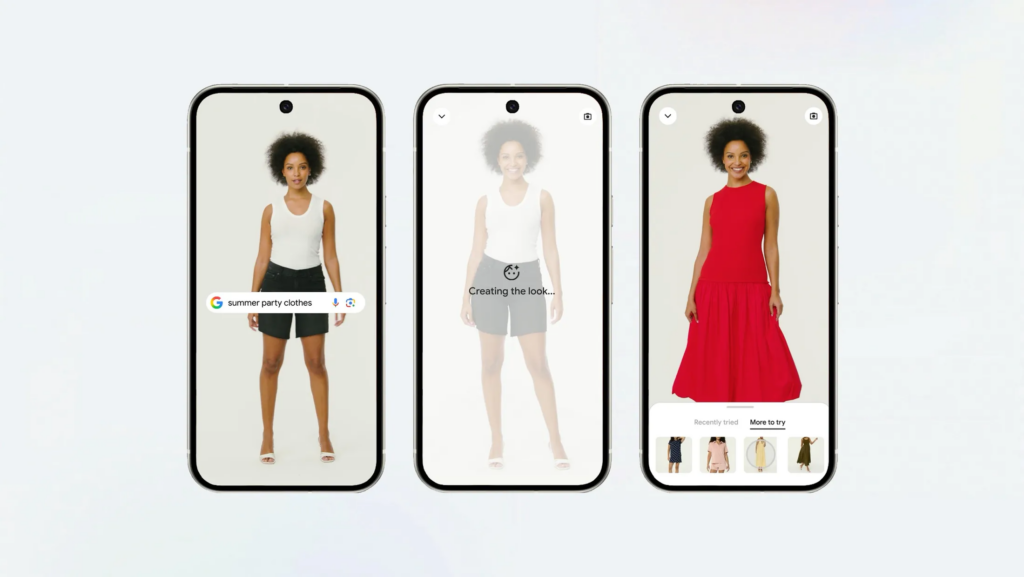
Whether you’re looking for a cozy cardigan, a fresh look for a summer getaway, or the perfect piece for a job interview, envisioning how you’d look in it when shopping online can be challenging. But today, Google has now made the clothes shopping process easier.
Today, Google is expanding access to its apparel try-on tool, which will start rolling out in the Philippines in the coming weeks. The feature makes the online shopping experience more personal, allowing you to virtually try apparel on yourself just by uploading a photo.
Try On is powered by a custom image generation model for fashion, which understands the human body and nuances of clothing — like how different materials fold, stretch, and drape on different bodies. It preserves these subtleties when applied to poses in your photos – so the result lets you see how a piece of clothing would look on you, instead of seeing just a still picture or on a model. Try On lets you shop from the billions of apparel items in our Shopping Graph across Search, Google Shopping, and even product results on Google Images.
In addition to being able to try on tops, bottoms, dresses, you can also try on shoes—whether you’re looking for sneakers, heels, or sandals for the summer season, Try On can help you complete and coordinate your outfit choices.
How to use Try On
To get started, tap on any product listing across Google or any apparel product result on Google Images and tap the “try it on” icon. Upload a full-length photo of yourself and within moments, you’ll see what you might look like wearing that exact piece of clothing. You can try on as many looks as you want, experimenting with different colors, new styles, and trends.
Afterwards, you can go back and scroll through other looks you’ve tried. You can also save your favorite ones and even share them with your friends. If you like it, you can tap on the shop button and you’ll be redirected to the merchant’s website, where you can purchase the look.
When you try on clothes in a store, you can easily tell if they’re right for you. You should feel just as confident shopping for clothes online with Google’s Try On feature bringing the fitting room experience to your screen.